Imagine this. You are holding a bowl filled with your favourite ice cream. You love its sweet taste on its own, but then you discover all the different toppings – chocolate sprinkles, whipped cream, jam, cream-filled treats, caramel and of course cherries. You are free to use all these toppings to make your ice cream even more delicious.
Which would you choose?
Just like ice cream and toppings, we know that a CRM in itself is a powerful tool but when you add smart features (toppings) you get a CRM designed to make your life a little easier.
With this in mind, let’s take a look at some of the intelligent features that will save you time and make your work easier and more productive.
Take a shortcut with macros
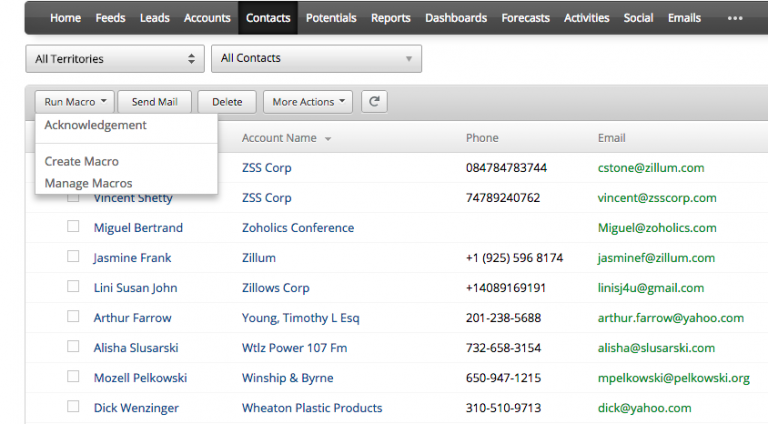
There may be tedious data entry tasks that you would like to complete with a single mouse click. We know you want quick solutions and have therefore taken the step of introducing macros.
So how can macros help you?
It is a tool that allows you to create rules and execute them whenever you want – create a task update a field and send an email.
For example, let’s say you close a deal and receive payment. There are a number of things you do every time and for every customer. Without exception.
1. Send an email to your customer about the deal. 2. Convert the “Potential” field to “Contact”. 3. Assign a task to the logistics department to send the product.
Since you already perform these activities regularly for all orders, using macros will simplify your work life.
Are you a power user of macros and wondering what’s new? Then we have even more for you.
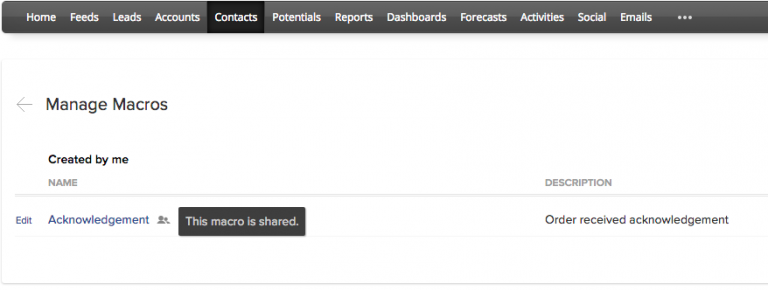
With the macro sharing feature, you can share the macro you have created with your colleagues. This allows them to carry out the same activities as you do. Your colleagues will be happy!
Mass editing made easy in Sheets
Editing and making changes to large volumes of data is time-consuming and conventional methods such as third-party tools or exporting and importing are inefficient and prone to errors.
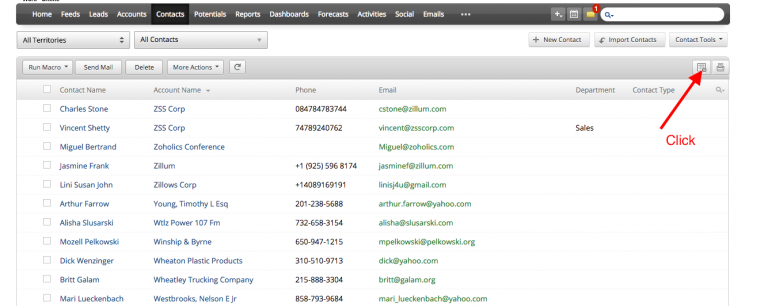
The Sheet View feature in Zoho CRM helps you generate and view records in Zoho Sheet. It makes it easy to make changes, save and update records in your CRM account.
This functionality also makes it easy to add new records. (A maximum of 100 records will be available in a single sheet and you can add multiple sheets and update them.)
These features may seem small but they are highly useful and make your workday more productive from start to finish. Give them a try and stay tuned for our next post about sales tools.